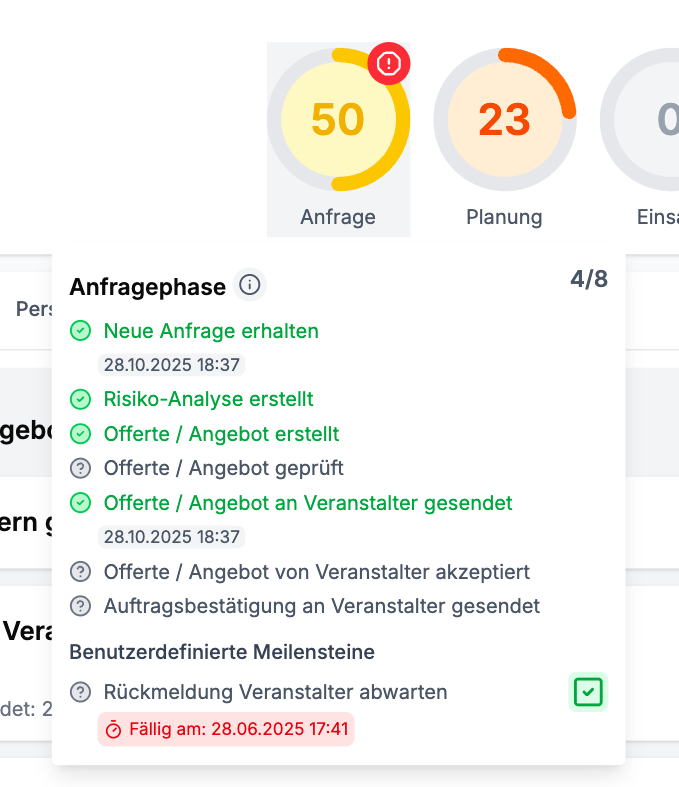
Planning Phases & Milestones
Each deployment goes through four consecutive planning phases: Request Phase, Planning Phase, Deployment Phase, and Post-Processing Phase. Within each phase, there are various milestones that make the current status of the deployment planning visible.
The milestones can be individually customized and expanded in the organization settings if needed.
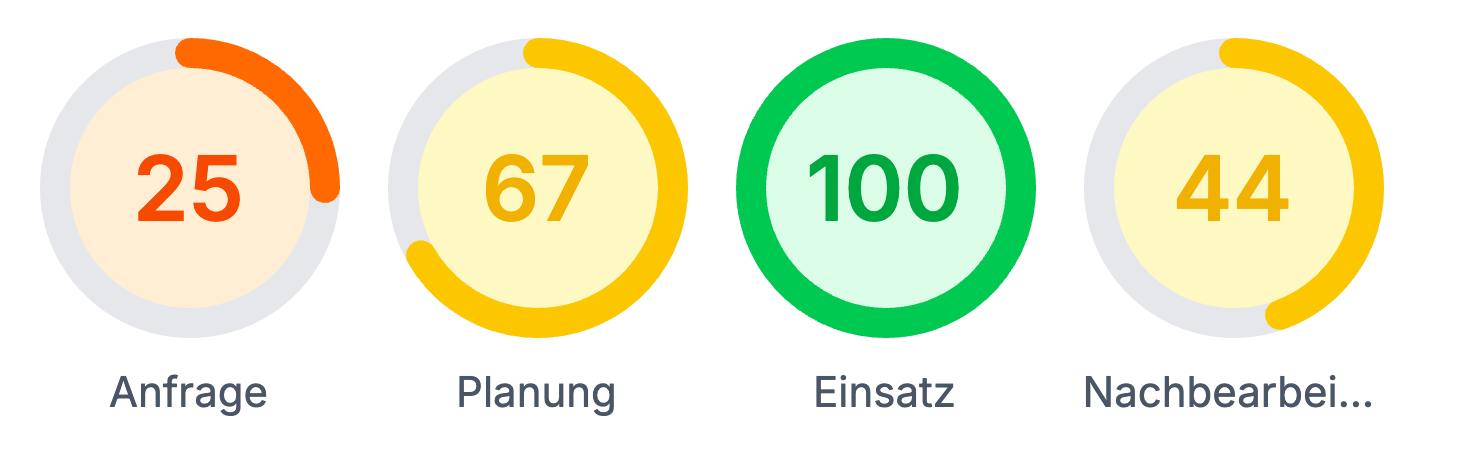
Planning Phases
Request Phase
Deployment planning starts with the medical service request. Subsequently, an offer can be created and sent to the organizer. This phase ends once the order confirmation has been sent to the organizer.
Planning Phase
In this phase, all important key data of the deployment are determined: Inventory and vehicles are assigned, staff availability is queried, and the shift schedule is created.
Deployment Phase
The actual deployment takes place in this phase. During this time, shift corrections can be recorded if necessary, and the services provided can be confirmed by the organizer.
Post-Processing Phase
Finally, the post-processing follows: The deployment summary is created, reports can be exported, inventory is checked and managed, and billing for the organizer is prepared. Lastly, the deployment is archived.
Configure Milestones
In the organization settings, the standard milestones can be activated or deactivated as needed.
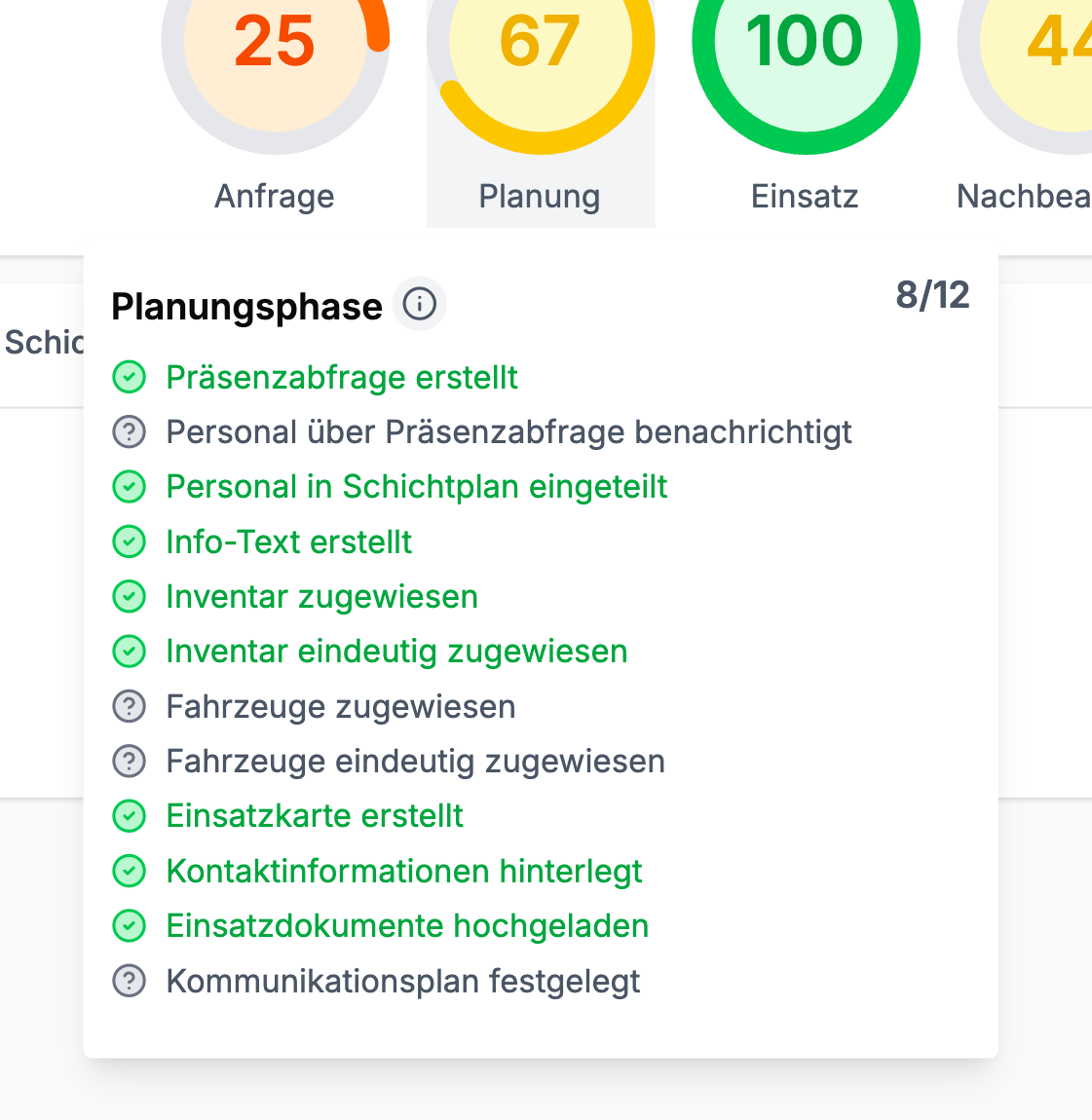
Add Additional Milestones
In addition to the standard milestones, custom milestones can be added to the respective planning phases. These will then automatically appear for each deployment and can be manually marked as completed.
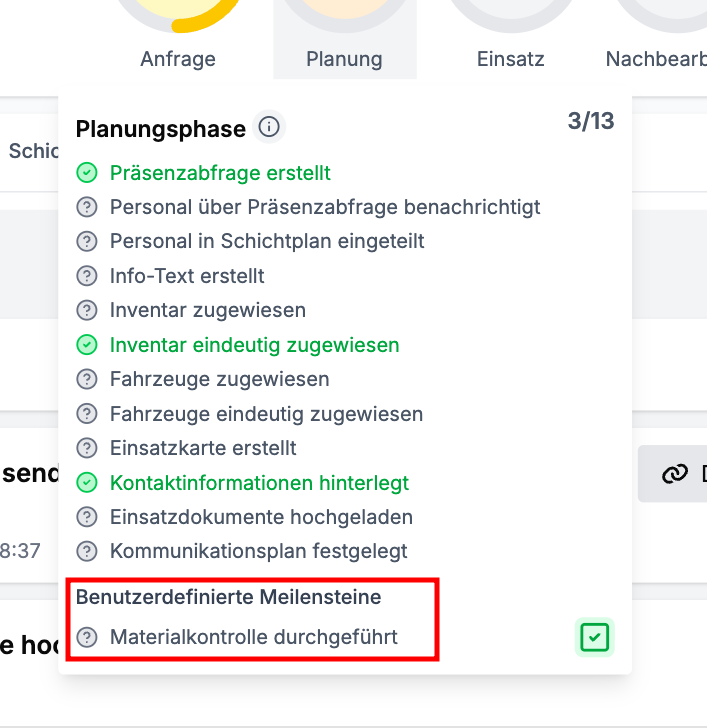
Milestones with Due Dates
For better clarity, milestones can be assigned a due date. These milestones reference a specific event and a time span (e.g., “14 days after sending the offer”).
Example:
After sending an offer to the organizer, feedback is expected within 14 days. This can be configured as follows:
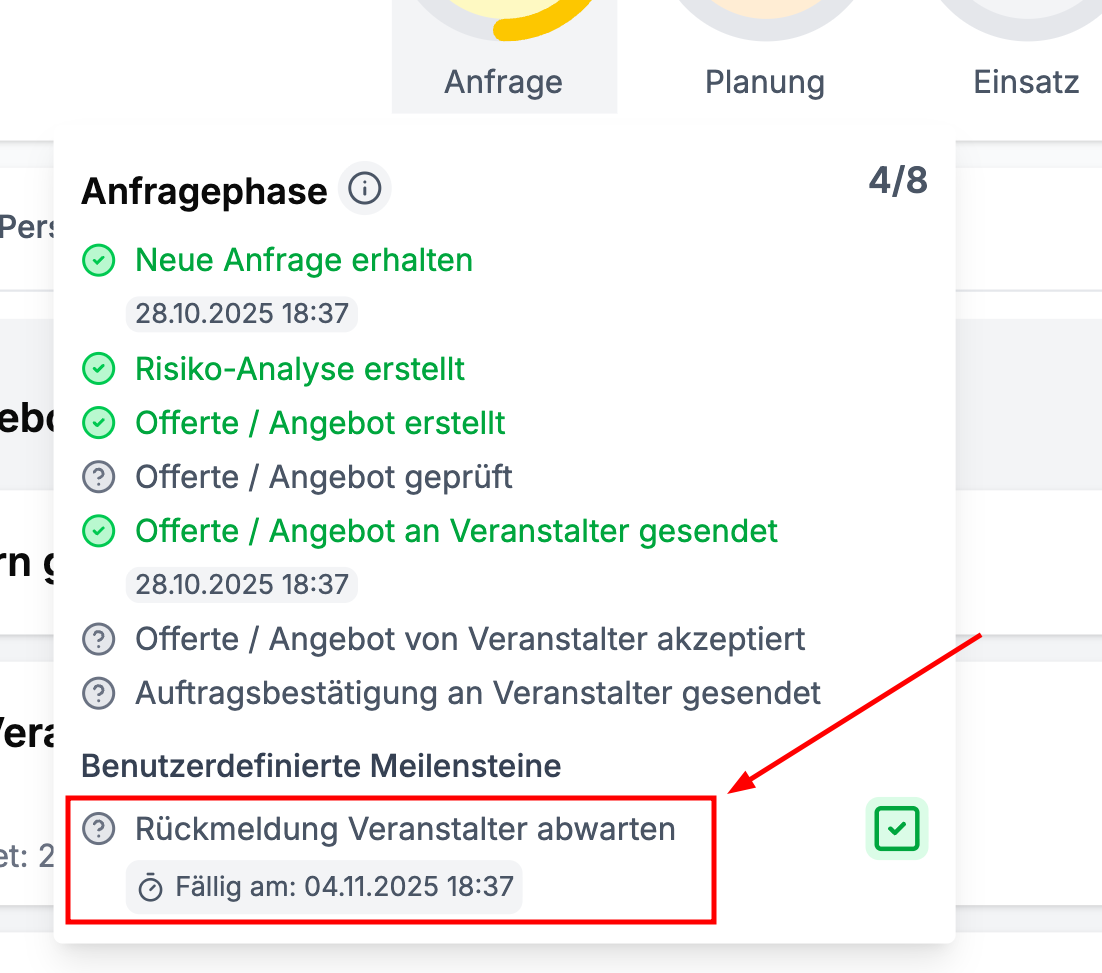
Once the deadline has passed, overdue milestones are marked in red in the deployment overview, making them immediately noticeable.